> For the complete documentation index, see [llms.txt](https://wiki.beabee.io/help-center-english/llms.txt). Markdown versions of documentation pages are available by appending `.md` to page URLs; this page is available as [Markdown](https://wiki.beabee.io/help-center-english/engagement/crowdnewsroom/how-to-create-a-crowdnewsroom/how-to-set-up-automated-emails-for-crowdnewsroom-participants.md).
# How to set up automated emails for CrowdNewsroom participants
You can set up an automated email within your CrowdNewsroom that is sent as soon as participants have completed the CrowdNewsroom.
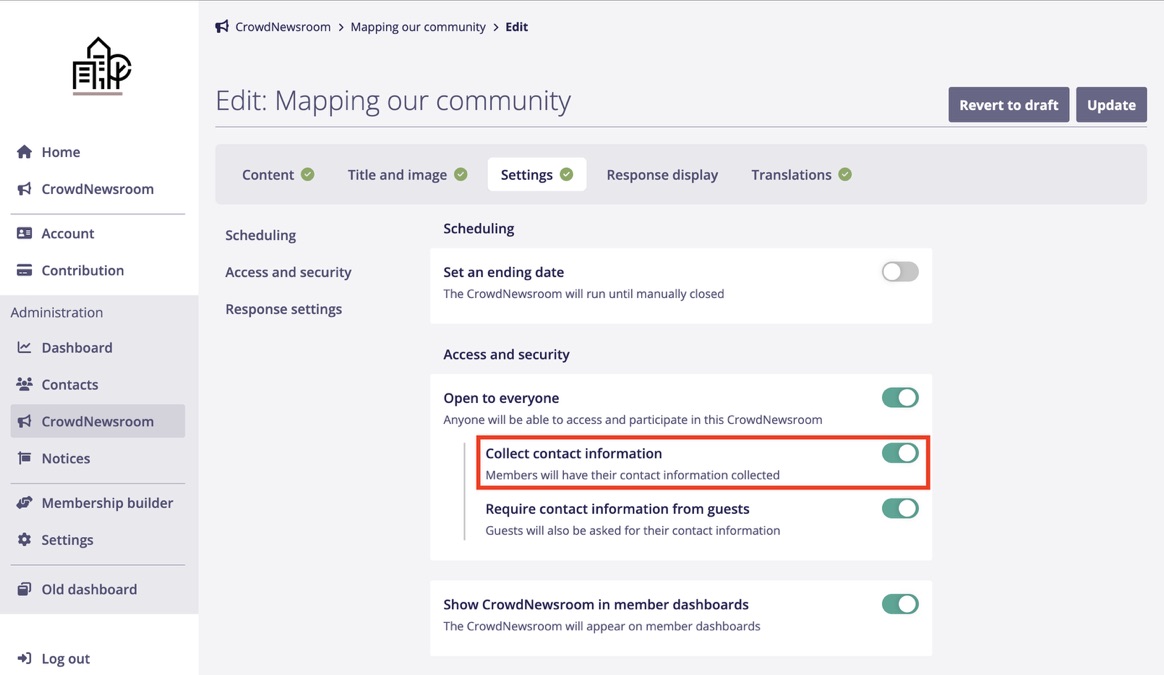
1. First, it’s important to activate the *Collect contact Information* option in your CrowdNewsroom settings. Your email will only be sent to participants who provided their email address within their CrowdNewsroom response.
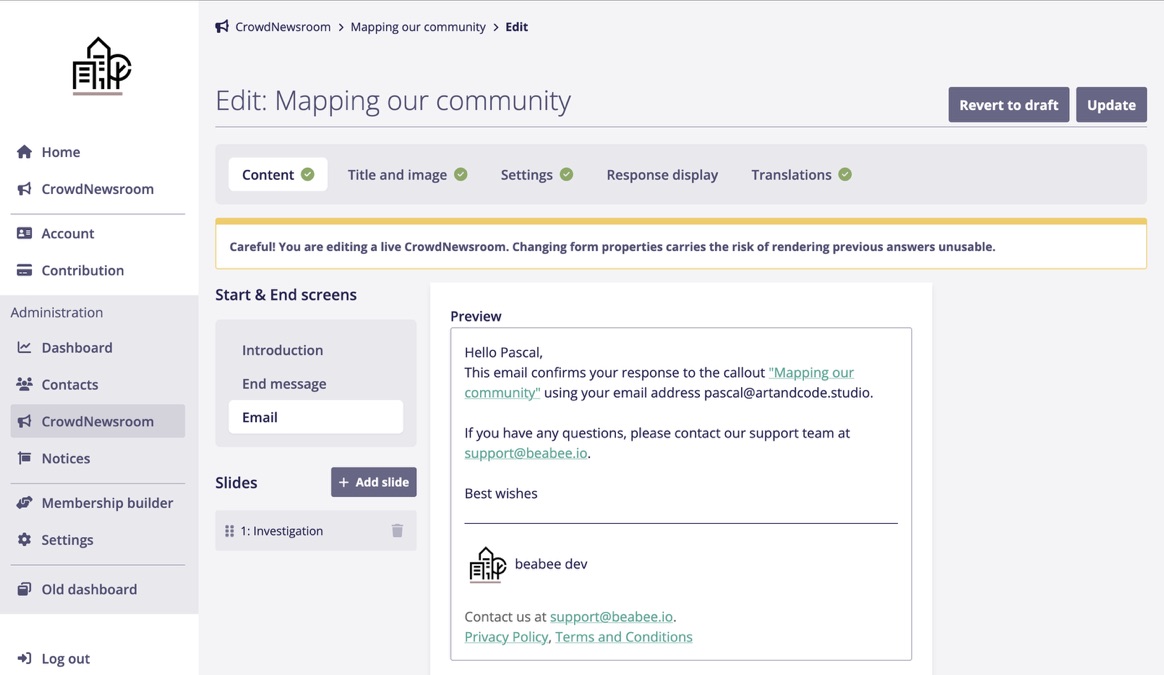
2. You can configure your email in the Content tab of the CrowdNewsroom editor. To do this, click on the Email section in the menu on the left. You can freely adjust both the subject and the message of your email. To personalize the email, use the available merge tags.
3. A preview of your email, including your default email footer, will be displayed below the email editor.
{% hint style="info" %}
Tip: You can change the footer at any time in your account settings.
{% endhint %}
{% hint style="info" %}
If you want to test your CrowdNewsroom and the automated email, you can activate the CrowdNewsroom and submit a response using your own email address.
{% endhint %}