> For the complete documentation index, see [llms.txt](https://wiki.beabee.io/community-journalismus/llms.txt). Markdown versions of documentation pages are available by appending `.md` to page URLs; this page is available as [Markdown](https://wiki.beabee.io/community-journalismus/english/community-centred-methods/how-to-build-a-join-page/embedding-newsletter-sign-ups.md).
# Embedding Newsletter Sign-Ups
If you don’t offer memberships or donations, the newsletter sign-up is the most important call-to-action on your website. Of course, it can also complement a paid offering.
Newsletter sign-ups usually **don’t have their own “join” page**. Instead, many websites use highly visible banners, pop-ups, or buttons where interested users can enter their email address directly. Sometimes, the button leads to a separate page with a more detailed sign-up form.
The same applies here: **take a look at how others implement it**. What appeals to you most? What seems off-putting? And most importantly: what fits you, your target audience, and your goals?
***
## **Examples of newsletter sign-ups**
#### **1) RUMS**
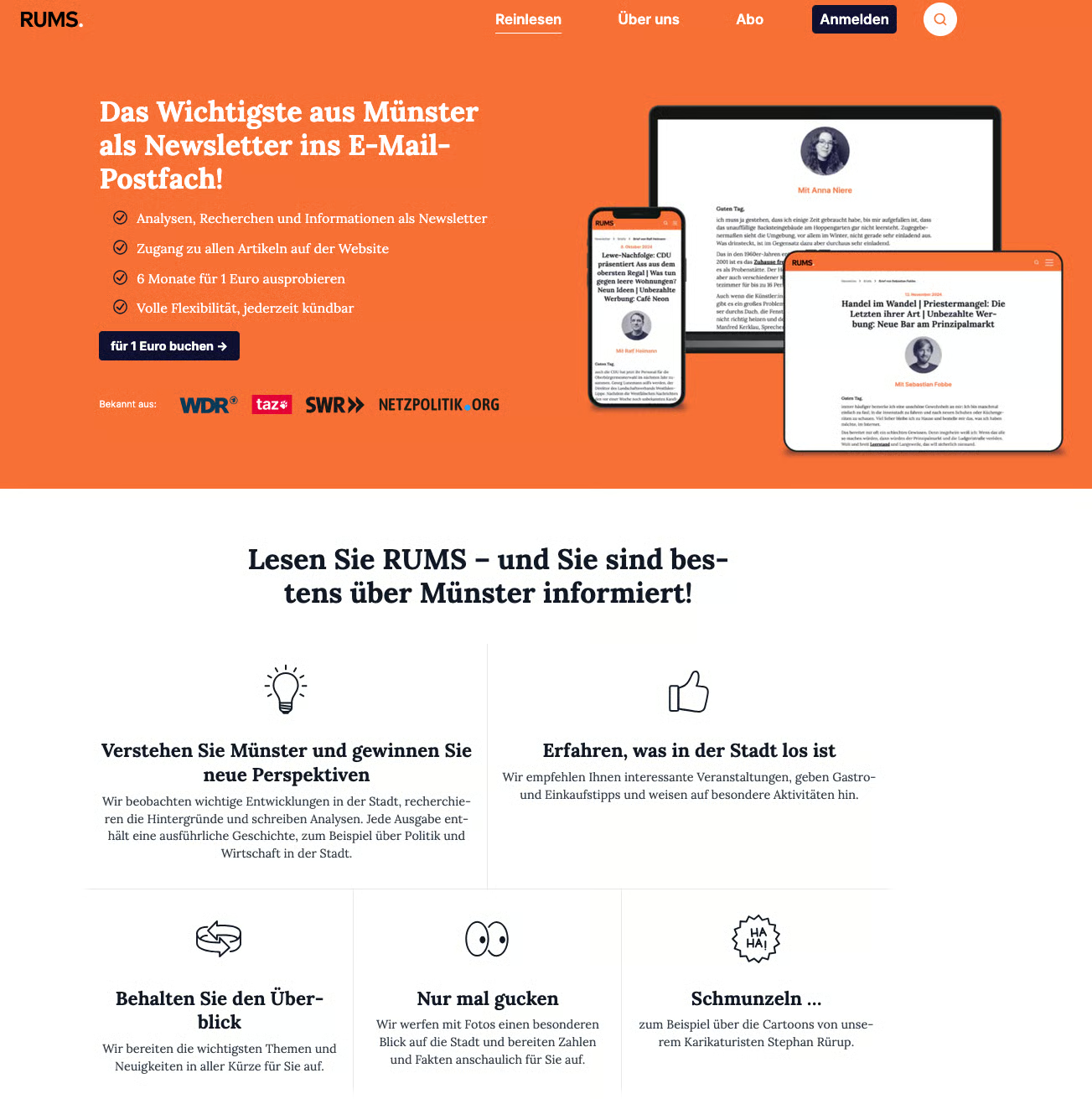
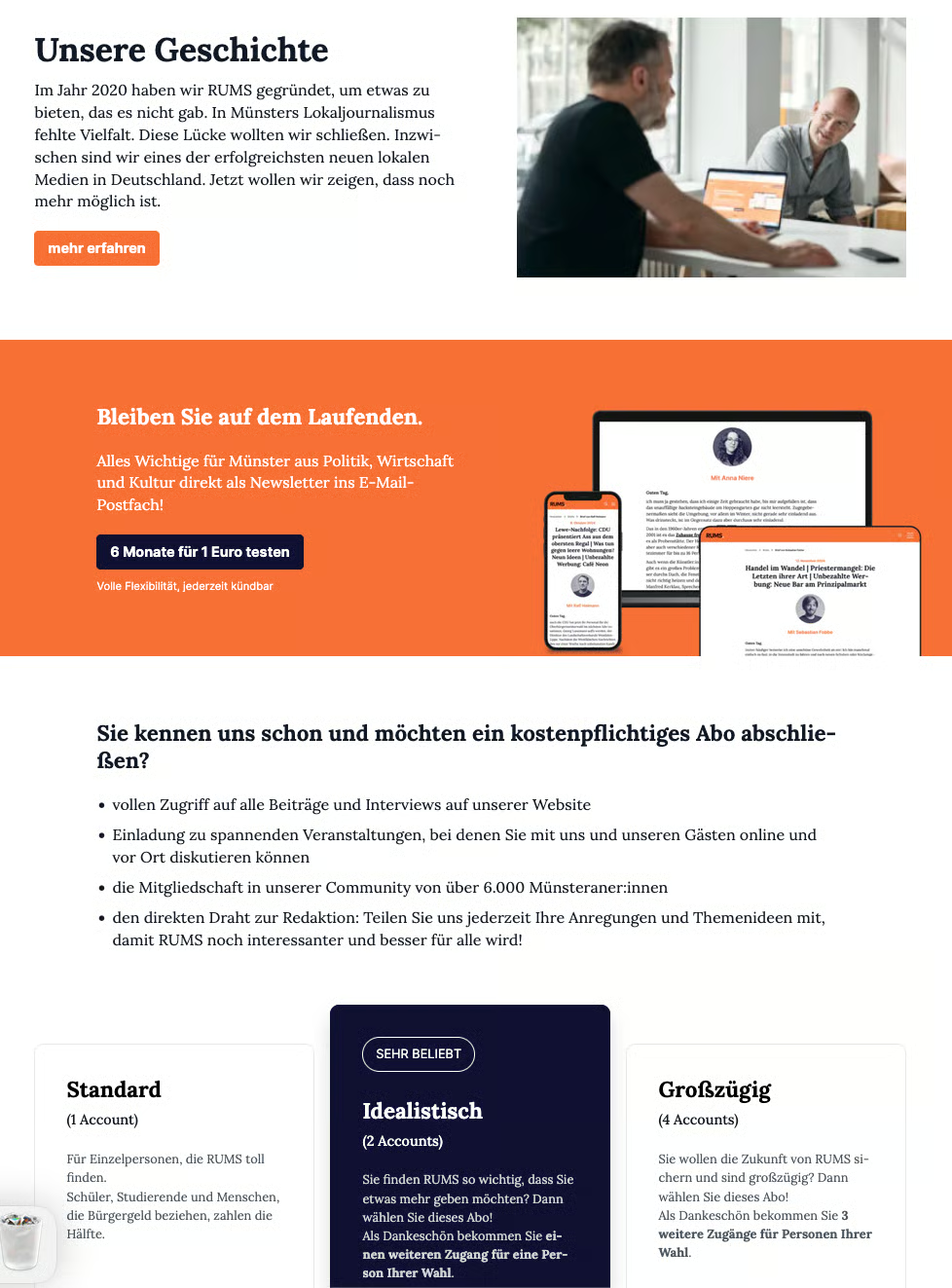
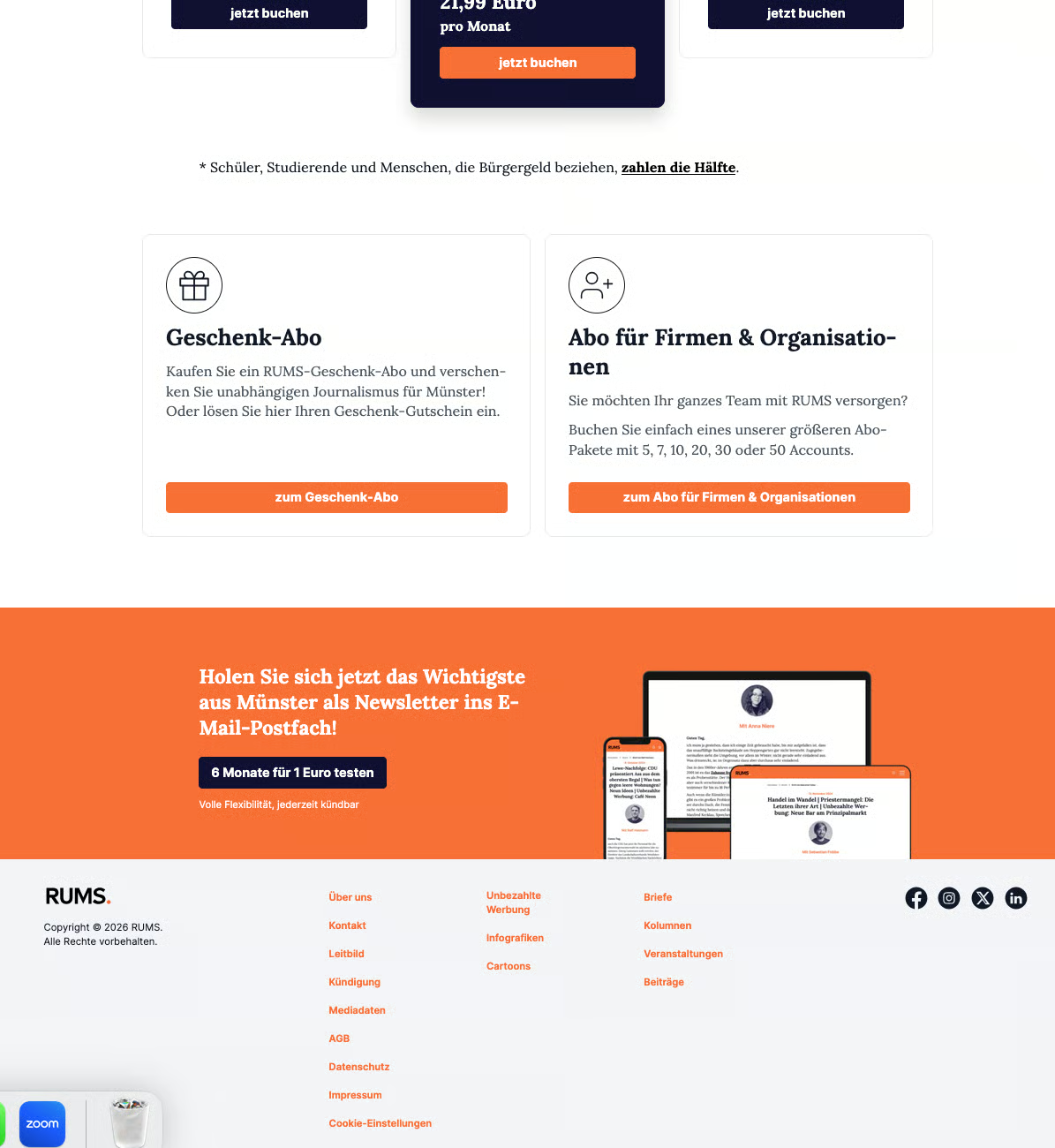
RUMS is funded through a subscription model but also offers a “6 months for €1” deal. This offer is prominently placed in various parts of the website—in the form of a newsletter sign-up—to initially capture the email addresses of potential subscribers.
The call-to-action is positioned relatively traditionally: in the top right of the menu bar, directly in the header, and just before the footer. Newsletter sign-ups are also often integrated again in the footer itself. Additionally, another banner appears between text sections, blending into the reading flow while drawing attention to the offer once more.
All call-to-actions are highlighted in orange and have a similar design. This creates strong recognition, though the repetition can also feel somewhat repetitive.
Sign-up is completed by clicking a button that leads to a separate registration page.
[Learn more](https://www.rums.ms/)
***
### **2) loky\***
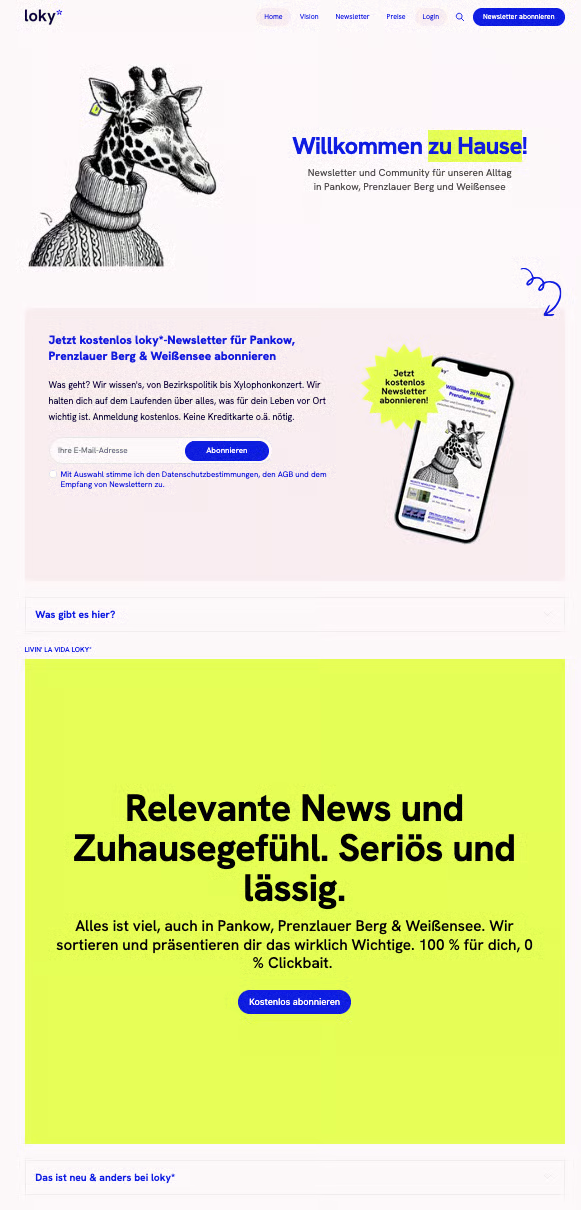
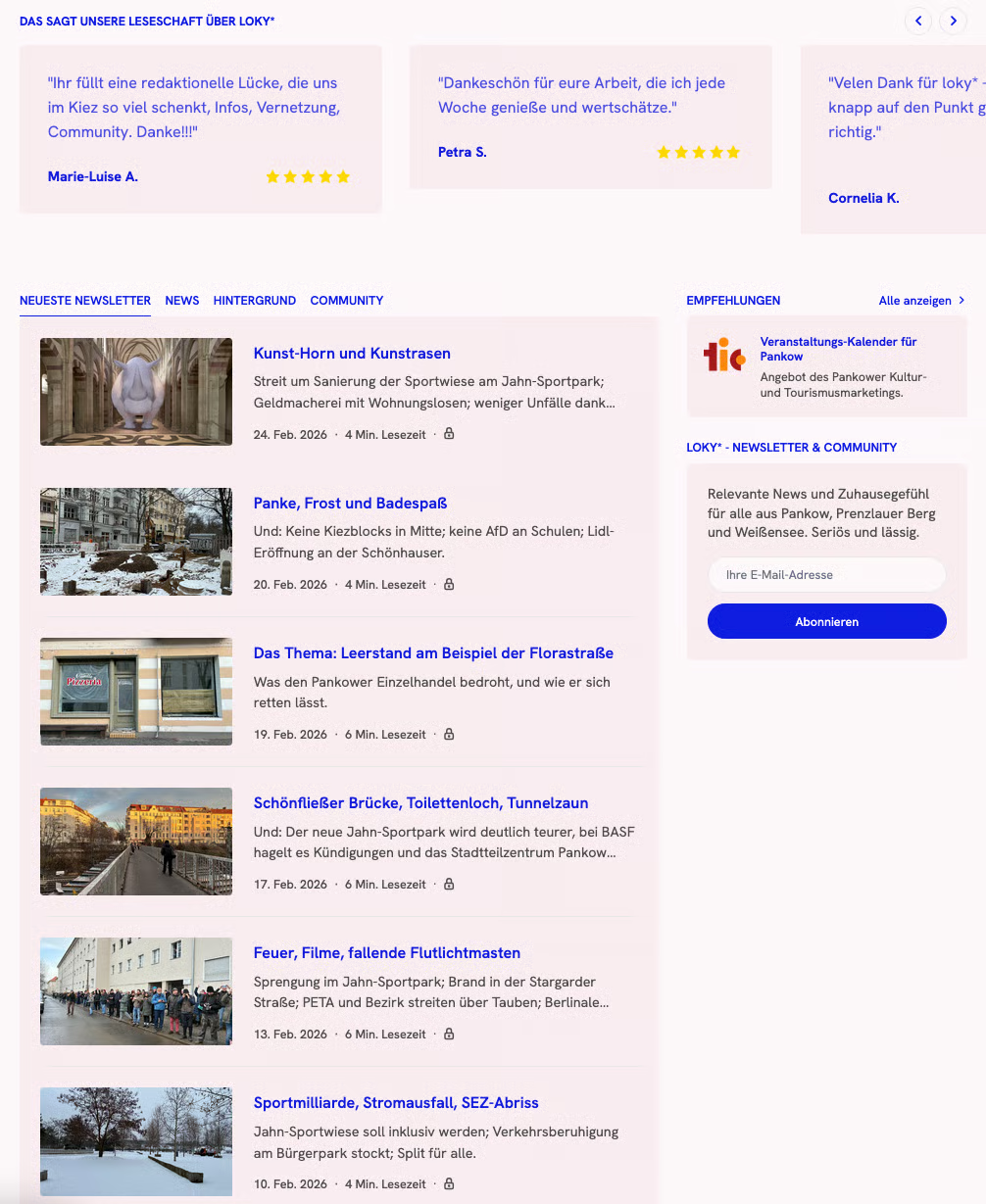
Loky\* – similar to RUMS – also draws attention to its newsletter three times. The call-to-action in the top right of the homepage and directly under the header is fairly classic and meets user expectations. As you scroll further, it gets more interesting: Loky\* uses an additional color element and designs the newsletter sign-up differently. Content-wise, it’s the same call-to-action, but the new design makes it stand out again.
This is also where the join page differs noticeably from RUMS: while RUMS relies heavily on visual repetition, Loky\* experiments more with variation and design.
Additionally, Loky\* alternates between two implementations: sometimes you can enter your email address directly on the page, and other times a button leads to a separate registration page.
[Learn more](https://www.loky.news/)
***
#### **3) Subcribe Now**
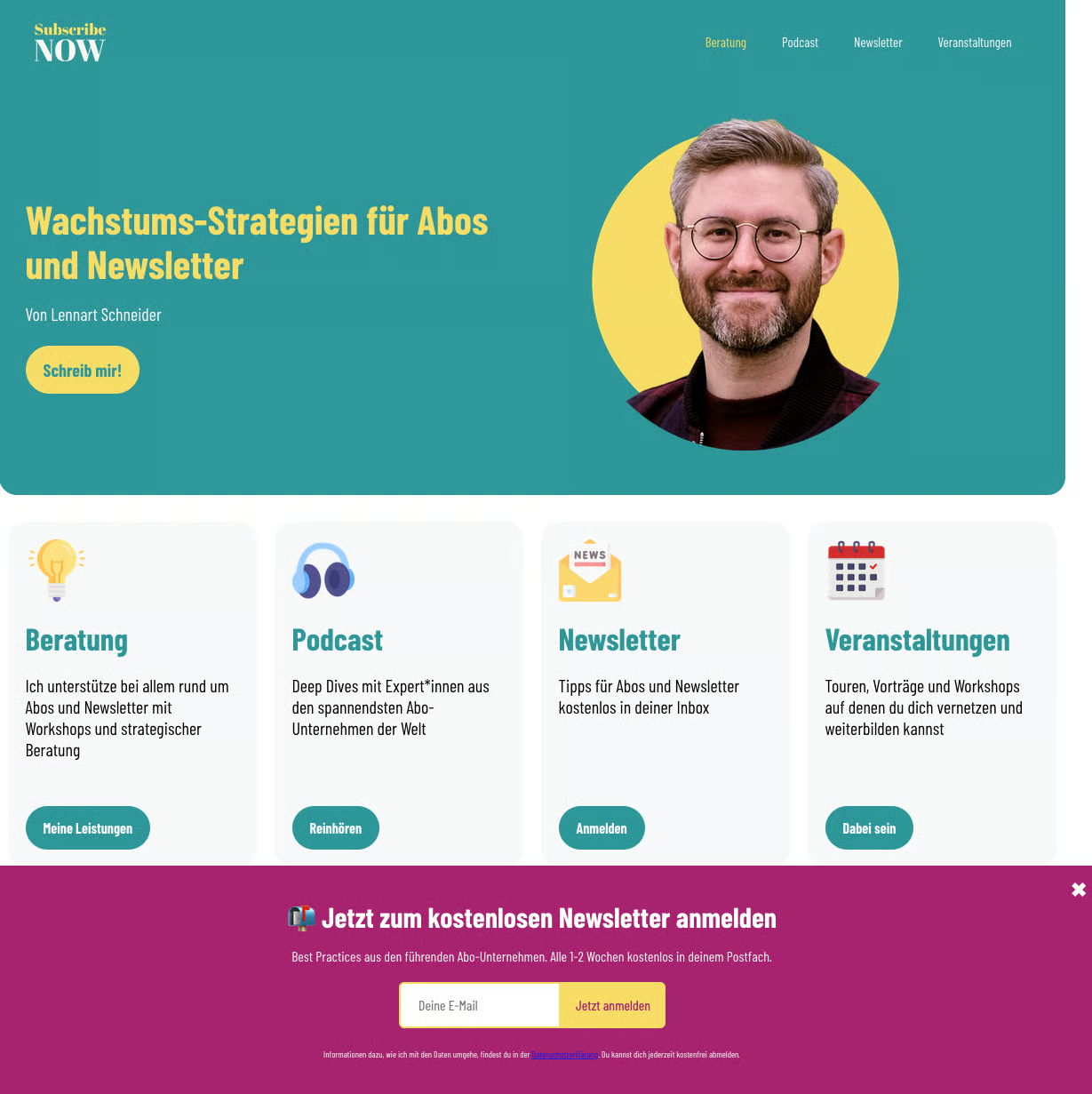
What’s interesting about Lennart Schneider’s join page for Subscribe Now is that it bundles several different products—and therefore multiple call-to-actions—on a single website.
The newsletter sign-up is highlighted particularly through a pop-up banner. This includes a clear call-to-action, a brief description of what to expect from the newsletter, and information on how frequently it is sent. Additionally, there is a field for entering your email address and a privacy notice.
[Learn more](https://www.subscribe-now.de/)
***
#### **4) morningcrunch**
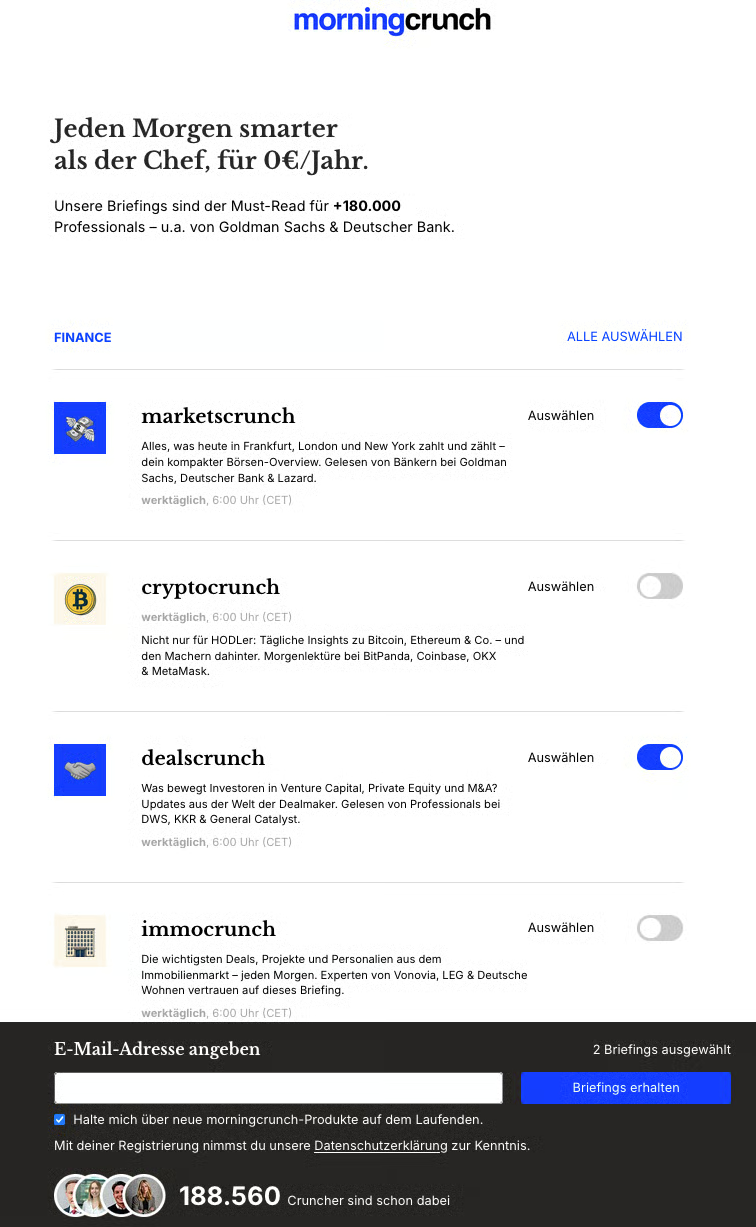
The page from morningcrunch stands out even more from the other join pages, as it is entirely focused on the newsletter sign-up. Multiple newsletters are offered, each briefly described, and you can directly select which formats interest you through various options.
Additionally, there is a banner that remains visible as you scroll, allowing you to enter your email address at any time. This keeps the sign-up constantly in focus.
[Learn more](https://morningcrunch.de/)
***
## **Strategic Decisions**
The examples show that **there isn’t a single “right” solution**, but rather various possibilities—and several strategic decisions you should make consciously.
For newsletter sign-ups in particular, consider:
* Where do you place your **call-to-actions**?
* Do you rely on a **consistent design** for high recognition, or on **variation** to repeatedly attract attention?
* Do you integrate the **sign-up field** directly on the page, or use a **button** that leads to a separate page?
* Do you **additionally use pop-up banners**, or deliberately avoid them?
***
## **Newsletter and Membership**
If you offer both a newsletter and a membership, you should carefully consider how the two offerings **work together** strategically. It’s not just about placement, but about the entire user journey.
First, consider: Should the newsletter be the **initial entry point**—a low-barrier touchpoint through which trust is built? In many cases, this makes sense, because signing up for an email requires less commitment than a membership. The newsletter can then be used to prepare users to become members later.
Or should the newsletter and membership be directly linked? For example, members could automatically receive the newsletter, or newsletter subscribers could get exclusive insights that lead them toward membership. It’s important that both offerings are clearly differentiated and that their value is communicated explicitly.
Also, **avoid creating competition** between the two calls-to-action. If users feel they have to choose, it can be off-putting. A clearer, more logical approach is better: first build a relationship, then foster commitment.
Be sure to **test your user flow** with multiple people—ideally from your target audience. Observe where uncertainties arise, what works intuitively, and where offers are overlooked or perceived as intrusive. This ensures that your strategy not only makes sense on paper but actually works in practice.
***
---
# Agent Instructions
This documentation is published with GitBook. GitBook is the documentation platform designed so that both humans and AI agents can read, navigate, and reason over technical content effectively. Learn more at gitbook.com.
## Querying This Documentation
If you need additional information that is not directly available in this page, you can query the documentation by asking a question.
Perform an HTTP GET request on the following URL with the `ask` and `goal` query parameters:
```
GET https://wiki.beabee.io/community-journalismus/english/community-centred-methods/how-to-build-a-join-page/embedding-newsletter-sign-ups.md?ask=&goal=
```
`ask` is the immediate question: it should be specific, self-contained, and written in natural language.
`goal` is what the user is ultimately trying to achieve, the reason they need the answer. Sharing it helps GitBook give you a better, more relevant answer. A goal is most helpful when it describes the outcome the user wants rather than restating the question. For example, with `ask=how do I create an API token`, a goal like `automate deployments from our CI pipeline` lets GitBook tailor the answer to that use case.
The response will contain a direct answer to the question and relevant excerpts and sources from the documentation.
Use this mechanism when the answer is not explicitly present in the current page, you need clarification or additional context, or you want to retrieve related documentation sections.