> For the complete documentation index, see [llms.txt](https://wiki.beabee.io/help-center-english/llms.txt). Markdown versions of documentation pages are available by appending `.md` to page URLs; this page is available as [Markdown](https://wiki.beabee.io/help-center-english/onboarding-guide/customise-beabee/organisational-settings/standard-emails/admin-notifications.md).
# Admin Notifications
With beabee, you can receive admin notifications when:
1. [A member cancels](#notification-of-a-members-cancellation) their contribution
2. There is a [new response in a CrowdNewsroom](#notification-of-a-new-response-in-a-crowdnewsroom)
3. When a [member registers in your community](#notification-of-a-new-community-member).
***
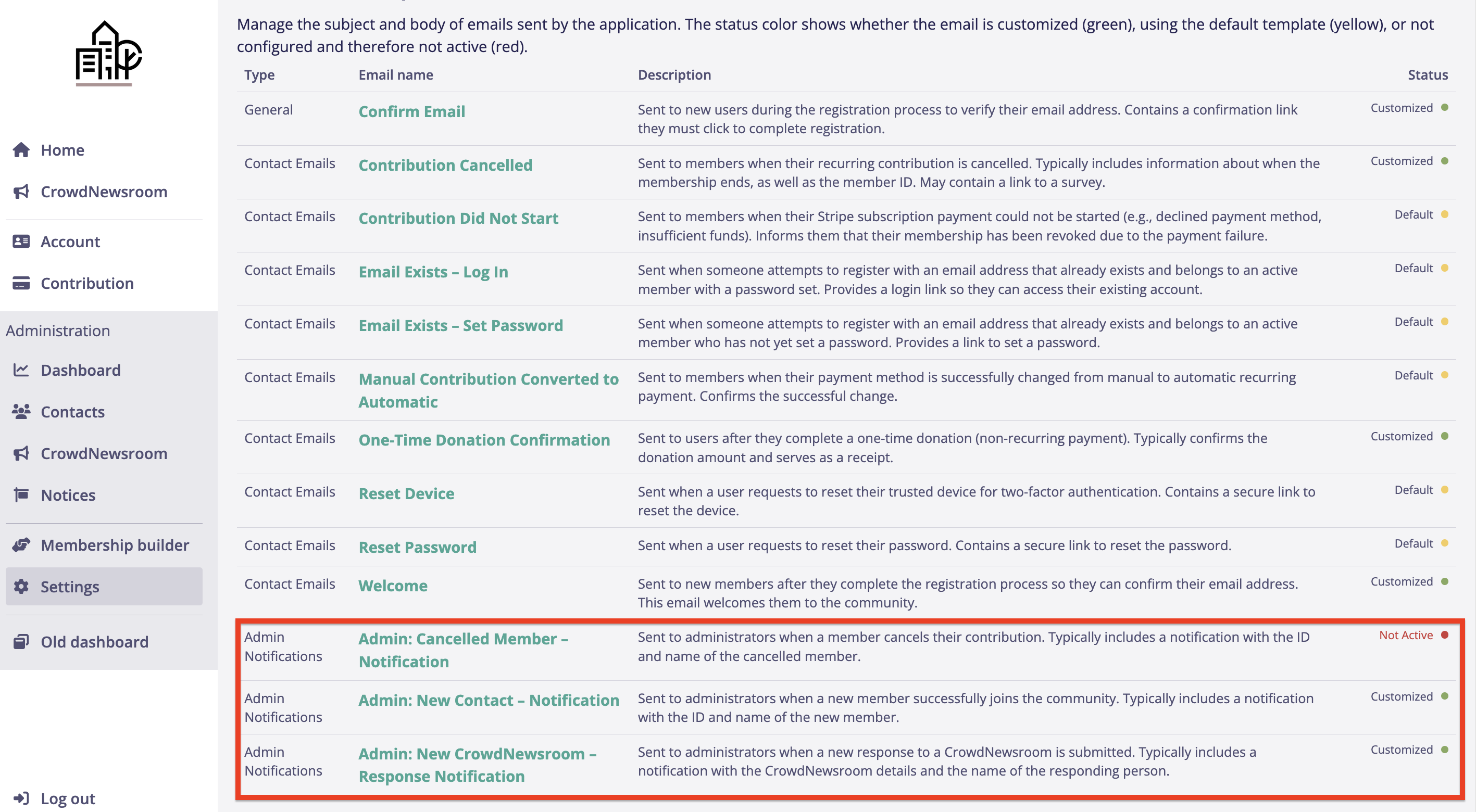
1. To set up your admin notifications, click on *Settings* and then on *Emails*. The templates for admin notifications can be found at the very bottom of the list.
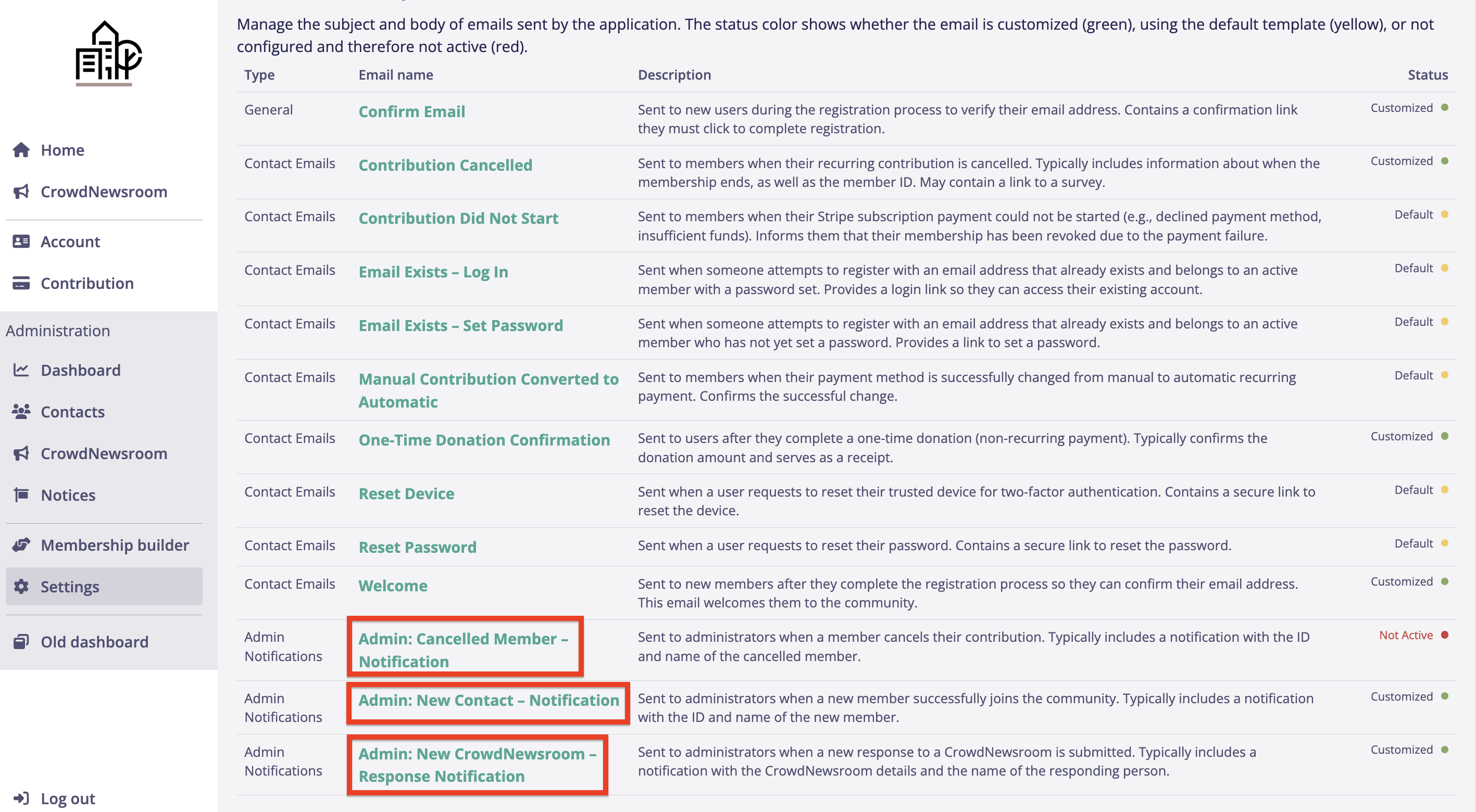
2. Click on the name of the email you want to customize.
***
#### Notification of a Member’s Cancellation
1. Click on the email titled: Admin: *Cancelled Member*.
2. Enter the subject of your email; for the text, you can use the following template:
> Hello,
>
> The following member has just cancelled: \*|MEMBERNAME|\*.
>
> You can view their profile here: Go to Member Profile.
>
> Best regards
3. To link to the member’s profile, highlight the part of the text you want to turn into a link to the member’s profile. Then click on the *link icon* above the text.
4. Insert the following link and click *OK* (replace the first part ‘example.example’ with your domain):
> [https://example.example.de/admin/contacts/\*|MEMBERID|\*](https://beispiel.beispiel.de/admin/contacts/*|MEMBERID|*)
5. Done! Click *Save*, and now you will be notified whenever a member leaves your community.
***
#### Notification of a New Response in a CrowdNewsroom
1. Click on the email titled: *Admin: New CrowdNewsroom*.
2. Enter the subject of your email; for the text, you can use the following template:
> Hello,
>
> \*|RESPNAME|\* has responded to your CrowdNewsroom: \*|CALLOUTTITLE|\*.
>
> You can view the response here: \*|CALLOUTSLUG|\*
>
> Best regards
3. Done! Click *Save*, and now you will be notified whenever someone responds to your CrowdNewsroom.
***
#### Notification of a New Community Member
1. Click on the email titled: Admin: *New Contact*.
2. Enter the subject of your email; for the text, you can use the following template:
> Hello,
>
> A new member has just joined your community: \*|MEMBERNAME|\*.
>
> You can view their profile here: Go to Profile
>
> Best regards
3. To link to the member’s profile, highlight the part of the text you want to turn into a link to the member’s profile. Then click on the link icon above the text. Insert the following link and click *OK* (replace the first part ‘example.example’ with your domain):
> [https://example.example.de/admin/contacts/\*|MEMBERID|\*](https://beispiel.beispiel.de/admin/contacts/*|MEMBERID|*)
4. Done! Click *Save*, and now you will be notified whenever a member joins your community.